Struggling with emails ending up in spam folders instead of inboxes? You’re not alone. Poor email deliverability can hurt open rates, lower engagement, and damage your sender reputation. From avoiding spam trigger words to setting up proper authentication like SPF and DKIM, this guide shares simple, actionable tips to improve inbox placement and boost the effectiveness of your email marketing campaigns.
Why do legitimate emails end up in the spam folder?
Even though you may be a legitimate business, a small error can be enough to have your email flagged as spam. Some of the most common reasons for this include:
- Emails lacking proper authentication
Spam filters rely on email authentication to verify that messages come from legitimate sources. Two of the most common methods are SPF and DKIM. Think of SPF as a “guest list” for your email domain—it tells mail servers which senders are allowed to send on your behalf. DKIM, on the other hand, acts like a digital wax seal, confirming that the message hasn’t been altered in transit. If your emails fail either of these checks, they’re more likely to be flagged as spam.
A low IP or domain reputation is another common reason for emails to fail the spam filter test. This may be caused by high bounce rates, high email volumes, recipients having previously marked your emails as spam, etc.
- Inclusion of spam trigger words
If your email reads as spam, it will be marked as spam. Including spam trigger words and phrases, curse words, text in all caps, excessive punctuation, etc., in your subject line, main body, or preview text can take your emails to the spam folder.
Spammers often use attachments to spread malware and phishing links. Hence, spam filters pay more attention to emails that include attachments.
HTML issues like broken HTML or the absence of a plain text version can make your emails seem unreadable. This may automatically send your email to the spam folder or give readers a reason to mark your emails as spam.
If your emails have low open or click rates, the ISPs may see them as irrelevant to the recipient and categorize them as spam.
How to Keep Emails from Reaching the Spam Folder?
Understanding the reasons why your emails may be flagged as spam gives you a good starting point for ensuring your emails reach the primary inbox. These are simple enough to do – pay attention to your content to avoid spammy words, avoid attachments, make sure your emails are properly authenticated, and so on. Improving your sender reputation and engagement rates may take a little more effort. Here are a few things you can do.
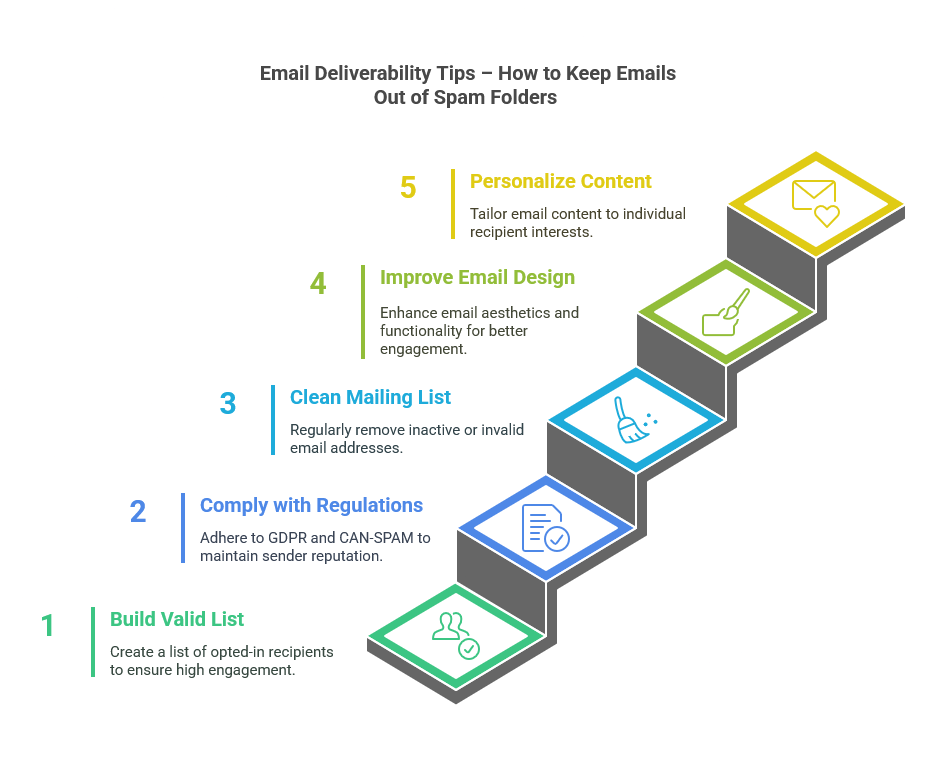
Build a validated mailing list
As far as possible, never buy a mailing list. These lists often include spam traps and inactive email addresses. Including them could increase your bounce rate and, in turn, lower your sender reputation. Hence, ensure you only include email addresses from recipients who have opted in to your mailing list. You can encourage people to sign up by offering exclusive content, discounts, running contests, etc.
In addition to having customers click on the subscribe button, verify each email address before adding it to your mailing list. This helps weed out fake and disposable email accounts while also catching any typographic errors that could affect deliverability. Today, there are several email verification tools available that make this process quick and seamless.
Comply with email marketing regulations
Make sure your emails comply with GDPR and the CAN-SPAM Act to protect your sender reputation. Measures to ensure this include:
- Include a clear, one-click unsubscribe link
- Add a link to your privacy policy in each email
- Ensure recipients have opted in to receive communications
Clean your mailing list regularly
Like other data, mailing lists also face data decay issues. Studies show that email addresses may change at a rate of 31% annually. Some people change email addresses when they switch jobs, while others do it to avoid spam. In either case, they may not update their details in your database. Hence, though verified at the time of collection, you may end up including inactive email addresses in your mailing list.
To avoid this, make sure you validate your mailing list before using it for any campaign. Remove any email addresses that are flagged as invalid or risky, as well as accounts that have unsubscribed from your mailing list. Removing accounts that have been inactive for a long duration or that have not responded to re-engagement campaigns is also a good way to maintain a clean mailing list.
Improve email design
Pay attention to the design and structure of your emails and try to make it easy for recipients to recognize emails from your brand. For example:
- Make sure your logo, colours, images, fonts, and tone align with your brand.
- Keep text easy to read and to the point.
- Design emails to be responsive for all devices.
- Balance the text-to-image ratio.
- Include a physical address in all marketing emails.
- Avoid URL shorteners.
- Include a working reply-to address.
Personalize email content
Personalizing the text in your subject line and main body helps the email stand out in a crowded inbox and improves engagement rates. This should go beyond addressing the recipient by name. If you are relying on high-quality customer data, you should be able to segment your audience by interest, demographics, etc., and design the offers, product recommendations, and mail text to be relevant to their needs. You can also personalize emails by sending automated emails triggered by the recipient’s browsing history or actions on your website.
Act Now – Stay Out of the Spam Folder
Don’t let your email marketing efforts go to waste. With a few simple, strategic changes—like authenticating your domain, verifying your mailing list, and personalizing content—you can dramatically improve your inbox placement. Better deliverability doesn’t just mean better visibility; it means more clicks, more conversions, and stronger customer relationships.
Want to see how easy it is to keep your mailing list clean and accurate? Book a demo with us today and discover how Melissa’s email verification tools can boost your campaign performance.